
Keep your details up to date so you get invoices, renewal reminders and important notices about your services.
Changing Your Details
- Log in to https://secure.aisweb.com.au
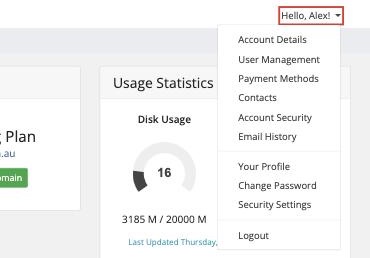
- Click Hello, [your name]! at the top right, then Account Details
- Update your name, company, address, phone number or email address
- Click Save Changes
Your email address is also your username for logging in. If you change it, use the new address next time you log in.
Changing Your Password
- Click Hello, [your name]! at the top right, then Change Password
- Enter your current password, then your new one twice
- Click Save Changes
Sending Invoices to Someone Else
To send invoices to your bookkeeper as well as yourself:
- Click Hello, [your name]! at the top right, then Contacts
- Add a new contact with their name and email address
- Under Email Preferences, tick Invoices
- Click Save Changes
Email History
To find an email we've sent you, such as a welcome email or invoice, click Hello, [your name]! at the top right, then Email History.
