
If a mailbox is full or close to it, cPanel's Email Disk Usage tool helps you clear out old email quickly, without downloading anything.
Using Email Disk Usage
- Log in to cPanel (see How to Log In to cPanel)
- In the Email section, click Email Disk Usage
- Choose the email account from the Account list
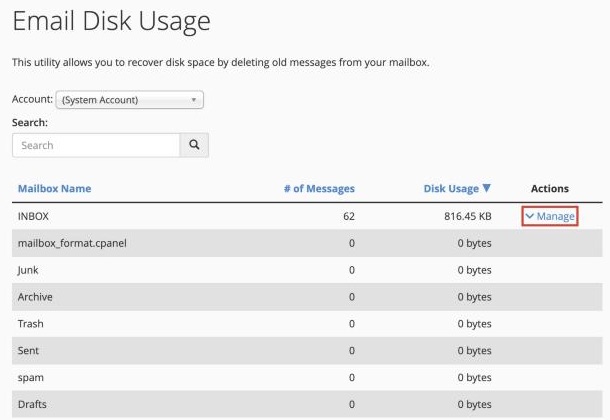
You'll see each folder and how much space it uses, largest first.
Removing Old Email
- Click Manage next to a folder, such as Trash or Inbox
- Choose what to delete, for example:
- All messages
- Messages older than a number of days
- Messages larger than a certain size
- Click Delete Messages and confirm
This permanently deletes the email. Save anything you need to keep first. If you delete something by mistake, you may be able to get it back with JetBackup.
Good Folders to Clear
- Trash and spam: usually safe to empty completely
- Sent: often has large attachments. Try deleting sent email older than a year
- Inbox: delete messages larger than 5 MB that you've already saved
See also Understanding Email Quotas and Storage.
