
You can change your cPanel password from the Client Area or from inside cPanel.
From the Client Area
- Log in to https://secure.aisweb.com.au
- Click Services, then My Services
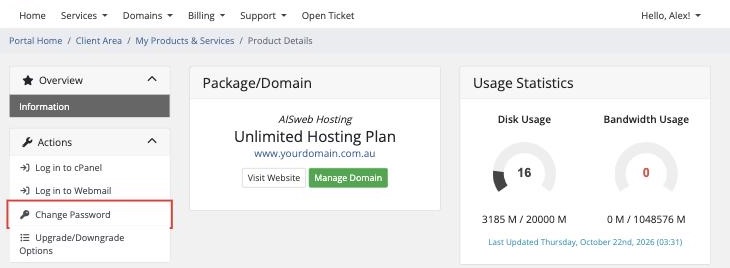
- Click your hosting service
- Click Change Password
- Enter a new strong password twice and click Save Changes
From cPanel
- Log in to cPanel (see How to Log In to cPanel)
- In the Preferences section, click Password & Security
- Enter your old password, then your new password twice
- Click Change your password now!
After Changing It
- Update your password anywhere it's saved, such as FileZilla
- Your email account passwords don't change. They're separate. See How to Change an Email Account Password
Your cPanel password protects your whole website and every email account. Use a long, unique password, and turn on two-factor authentication for cPanel.
